Turn any screen recording into action items
Flows read your video's transcript and navigation log, then produce a document — action items, an SOP, a meeting summary — with every line deep-linked to the moment it happened.
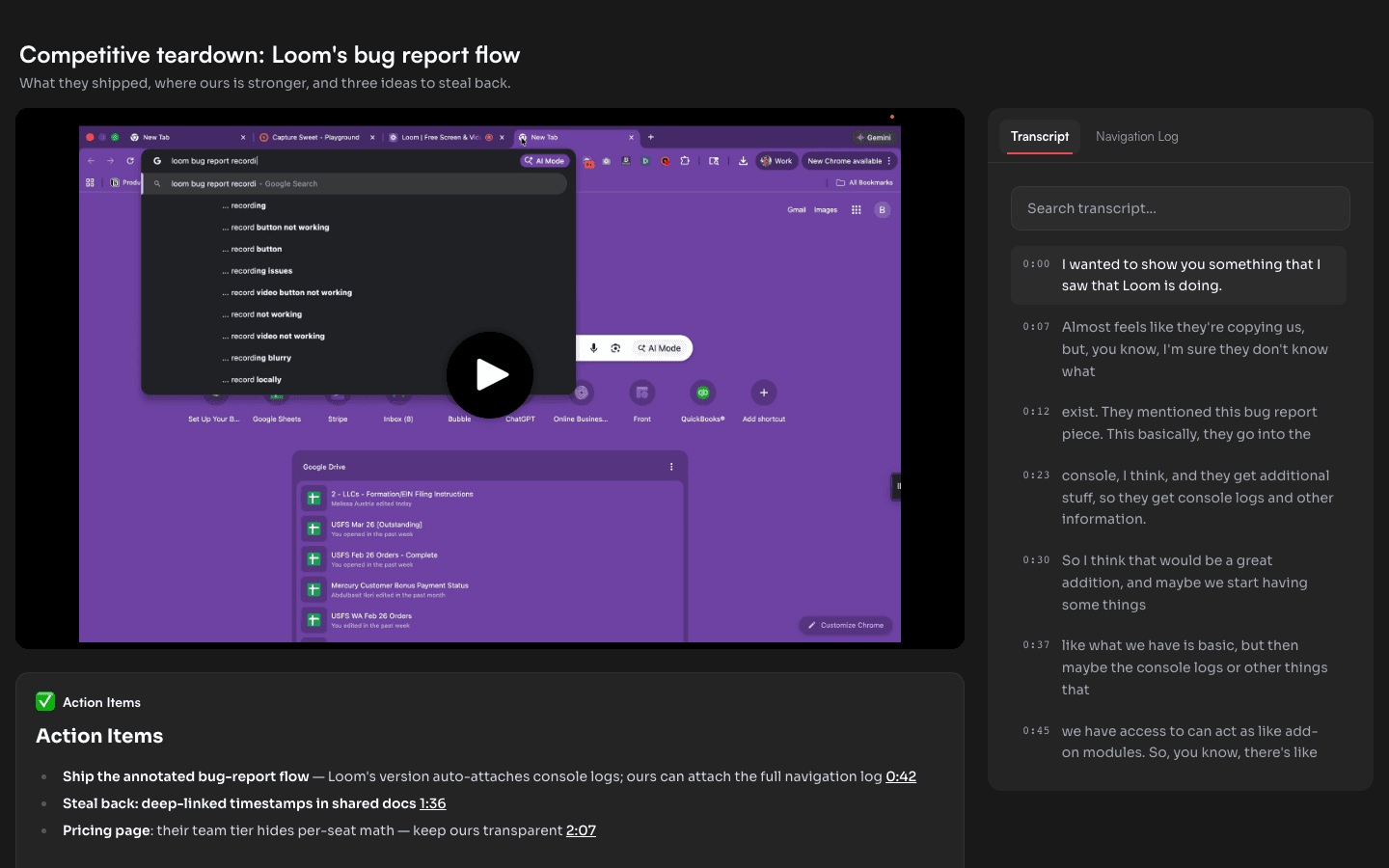
What a Flow actually does
Every Capture Sweet recording carries more than video: a synced transcript, plus a navigation log of every page you visited and every click you made. A Flow is an instruction that runs over that structure — "extract action items", "write this up as an SOP", "summarize for someone who wasn't there"— and produces a document that lives on the video's share page.
Because the Flow sees timestamps, the output links back: click any line in the document and the video seeks to that exact moment.
How to run a Flow on a recording
- 1
Open the video's editor
From your library, open any recording and click Edit. The page builder opens with your video and its modules. - 2
Add the Document module
In the Modules section, click + Add Module and pick Document. Choose a Flow — start with the built-in Action Items or Meeting Summary templates. - 3
Click Run on this video
The Flow reads the transcript and navigation log and generates the document in a few seconds. You'll see it appear in the preview immediately. - 4
Publish
Hit Publish and the document is live on your share page, deep-links and all. Re-run anytime if the video changes.
What people use it for
Client work: record the feedback call, send back a share page where the action items are already extracted and each one jumps to the moment the client said it.
Internal SOPs: record yourself doing the task once; the Flow writes the procedure doc with step-by-step deep links.
Bug reports: the navigation log already captured every page and click — the Flow turns it into a repro write-up engineers can follow.
Your next recording can write its own follow-up
Free plan includes 3 Flow runs a month — enough to try it on real work.