Page Builder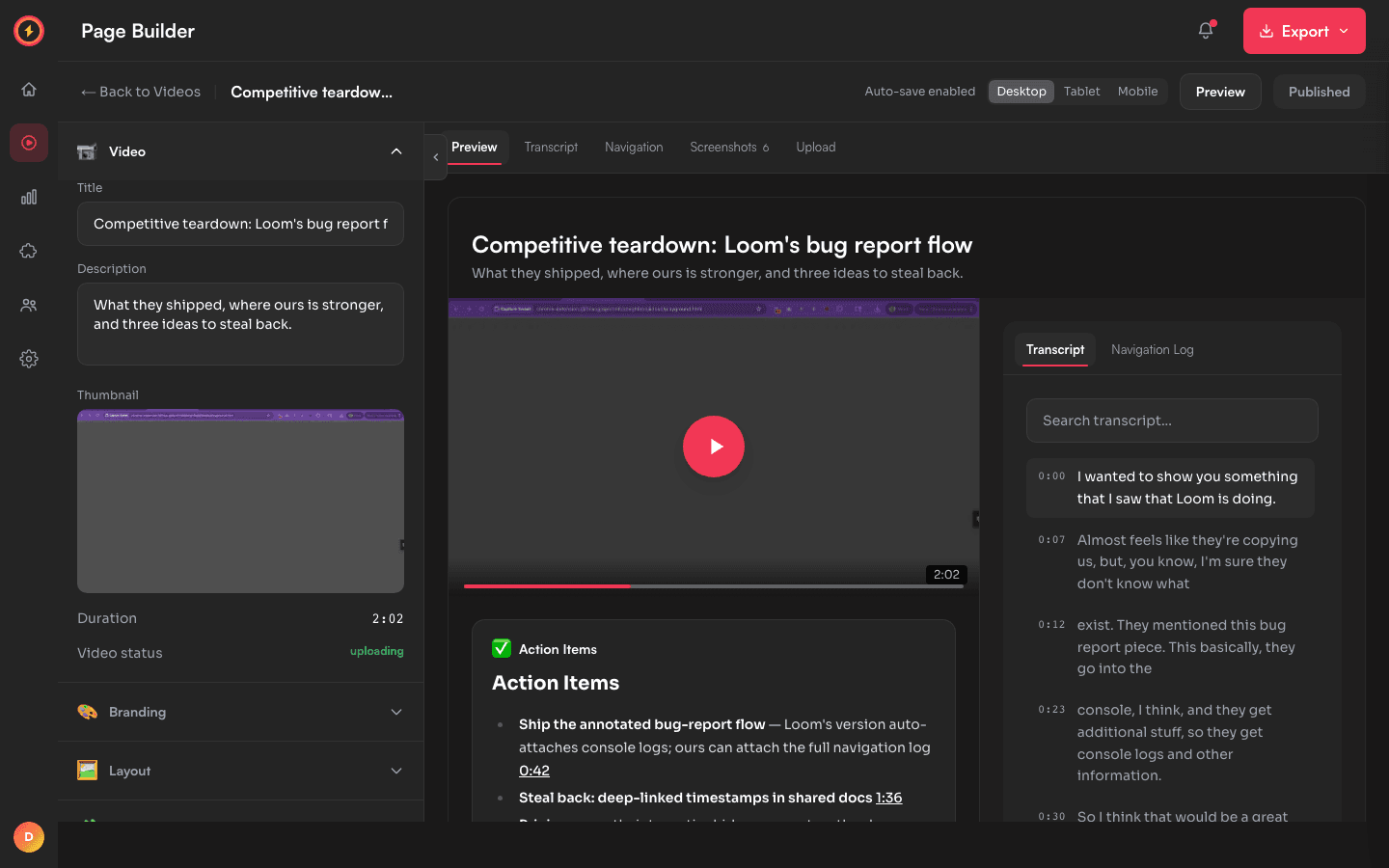
Share pages that look like your product
Every Capture Sweet video gets a page you actually control: layout, brand colors, and a module system — transcript, screenshots, AI documents, CTAs, payments — arranged how you want.
The page is built from modules
A share page is a video plus whatever you attach to it. Each piece is a module you can add, remove, reorder, and place in a two-column or single-column layout:
- Transcript — searchable, synced, click any line to jump
- Navigation log — every page and click from the recording (combine with the transcript into one tabbed card)
- Screenshots — frame gallery with click-to-jump
- Document — AI-generated action items, SOPs, or summaries from a Flow
- CTA button — your link, your label, floating or inline
- Contact form — submissions to your email or a webhook
- Stripe checkout — sell directly on the page
- Embed — drop in an external page or any iframe/HTML
- Comments — timestamped viewer feedback
- Download — let viewers grab the video, transcript, or a full ZIP
How to customize a page
- 1
Open the editor
Every video has an Edit button — it opens the page builder with a live preview on the right. - 2
Pick a layout
Single column, two-column (video + 400px sidebar), or 50/50 split when a document needs real width. - 3
Add and arrange modules
Drag modules between the main column and sidebar. Toggle any module off without deleting its configuration. - 4
Brand it
Set your logo, primary color, and background. Paid plans can remove the Capture Sweet badge entirely (white-label). - 5
Publish when ready
Edits autosave to a draft — the live page doesn't change until you hit Publish. Discard anytime to roll back.
Personalization: add
?name=Sarah to a share link and any {{name}} placeholder on the page fills in per viewer — one video, many personalized pages. Built for outreach.Build your first page in five minutes
The page builder is on the free plan — record, open Edit, and see your video the way clients will.