Privacy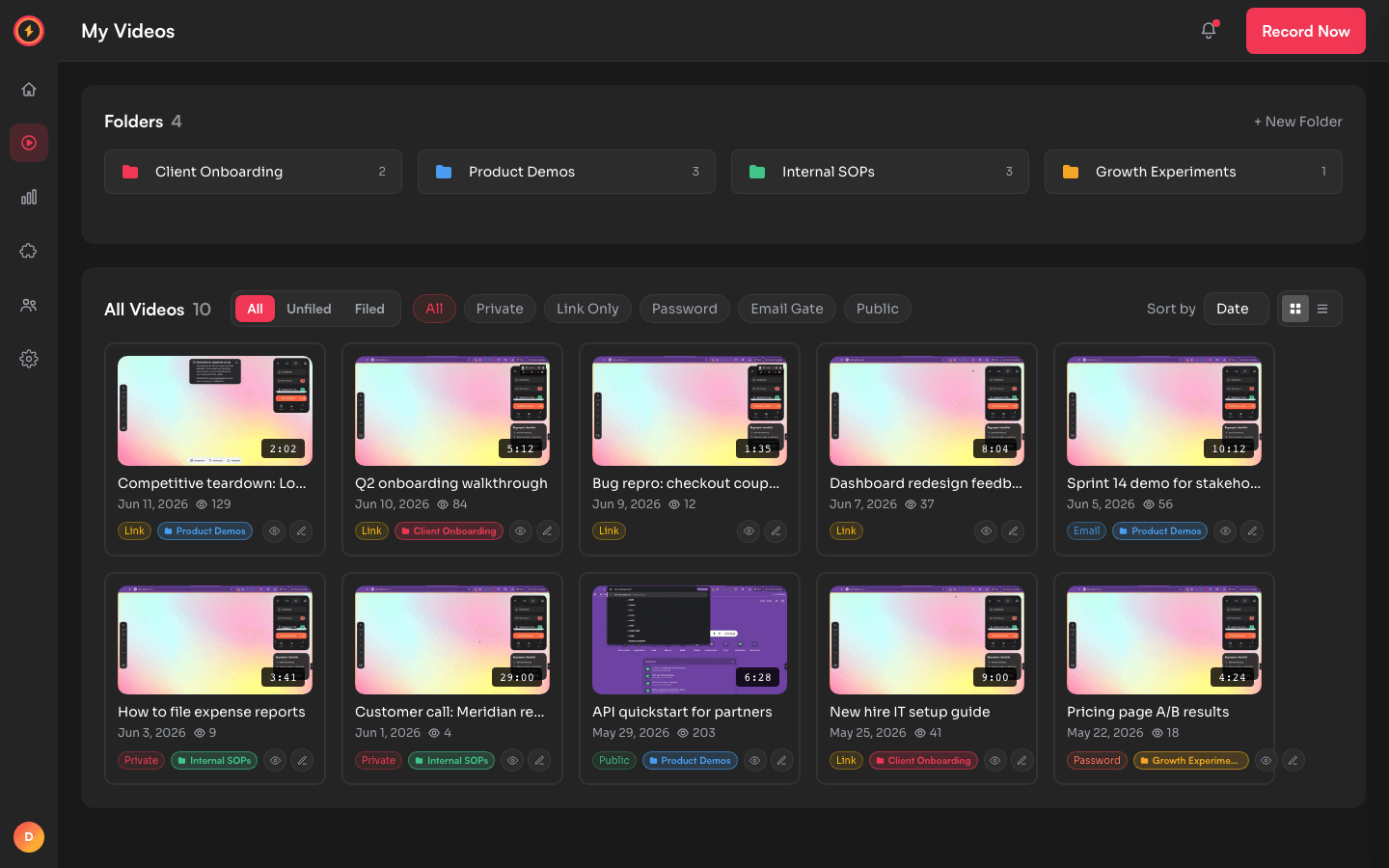
Put a password on any recording
Password protection is one of five privacy levels on every Capture Sweet video. The share link works only after the viewer enters the password you set — share the link in one channel and the password in another.
How to password-protect a video
- 1
Open the video's privacy settings
From your library, open the recording and find its privacy control. Every video carries one of five levels — private, link-only, password, email gate, or public. - 2
Choose the Password level
Switch the level to Password and type the password you want viewers to enter. It applies immediately. - 3
Share link and password separately
Send the share link however you normally would, then send the password through a different channel — a separate message, a call, a DM. The link does nothing without it.
Changing a video's privacy applies immediately. Add or change a password and anyone watching loses access on their next page load until they enter it.
Password vs. email gate vs. link-only
All three keep a recording out of public view, but they answer different questions:
- Password— use when you want one shared secret that gates everyone the same way. Good for a deck or demo you're sending to a known group who can be trusted with the same key.
- Email gate — use when you want to know who watched. Viewers enter their email before the video plays, and you see exactly who showed up in your analytics.
- Link-only— use when the link itself is the secret. The URL is a 32-character cryptographically random slug that's never listed or indexed, so anyone you hand it to can watch with no extra step.
Apply it automatically with folder defaults
You don't have to set the password level video by video. Folders can carry a default privacy, so a recording filed into a folder inherits that level the moment it lands there.
- 1
Set the folder's default privacy
Create a folder and pick Password as its default in the folder settings. - 2
File recordings into it
New recordings saved to that folder arrive password-protected automatically — no per-video step. - 3
Override when you need to
Any individual video can still change its own level. The folder default is a starting point, not a cage.
Lock down a recording without a paywall
Password protection — and all five privacy levels — are on the free plan.