Privacy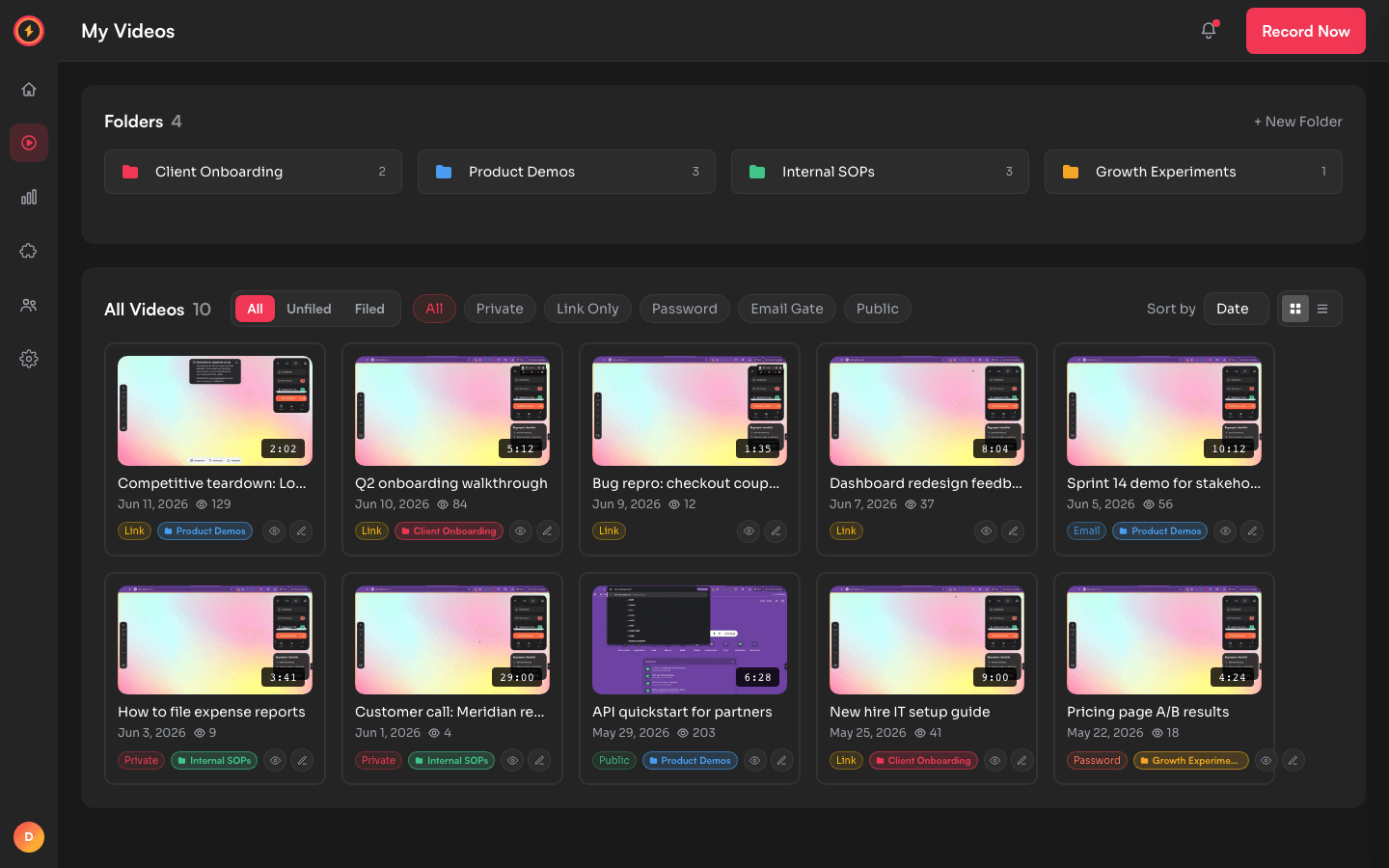
Your recordings are private by default
Every video starts visible to you alone. Five privacy levels let you open it exactly as far as you mean to — and no further.
The five privacy levels
- Private — only you (and your team members, on team accounts) can view. The share link shows nothing to anyone else.
- Link-only — anyone with the link can watch; the video is never listed or indexed. Links are 32-character cryptographically random URLs — the same unguessable format the biggest platforms use.
- Password — the link works only after a password you set. Share the link in one channel and the password in another.
- Email gate — viewers enter their email before watching. You see exactly who watched in your analytics.
- Public — open and embeddable anywhere. The only level where discovery is the point.
Set privacy once with folder defaults
Folders can carry a default privacy. File a recording into Client Onboarding(default: link-only) and it's link-only; drop the same recording into Internal SOPs (default: private) and it locks down — no per-video fiddling.
- 1
Create a folder
In your library, create a folder and pick its default privacy in the folder settings. - 2
File recordings into it
New recordings saved to that folder inherit the default automatically. - 3
Override anywhere
Any individual video can still set its own level — the folder default is a starting point, not a cage.
Changing a video's privacy applies immediately — viewers mid-watch on a now-private video lose access on their next page load.
Record without wondering who can see it
Privacy levels — including password protection and email gates — are on the free plan.